Framezone vs Notion
A life OS you don't have to build.
Notion is a blank canvas: pages, databases and templates you shape yourself. Framezone is the finished room, with tasks, habits, money, training and reading already built and linked. Here is how they differ, and when Notion is the better choice.
Last reviewed September 2026. Prices in USD.
The short answer
Two good tools for different jobs.
Choose Framezone if
- You want habits, budgets and workouts that work on day one, without building databases
- You have started a Notion life OS template before and it drifted
- You want your AI assistant to log and read your life through tools made for it
Choose Notion if
- You enjoy designing every page, property and view yourself
- You share docs, wikis or projects with other people
- You write long documents and want everything in one editor
A common split: Notion for documents and shared work, Framezone for the daily personal tracking. They don't compete for the same job.
Side by side
Feature by feature.
What each one does out of the box, without templates or add-ons.
What's different
Where Framezone goes further.
Ready on day one
Nothing to build first
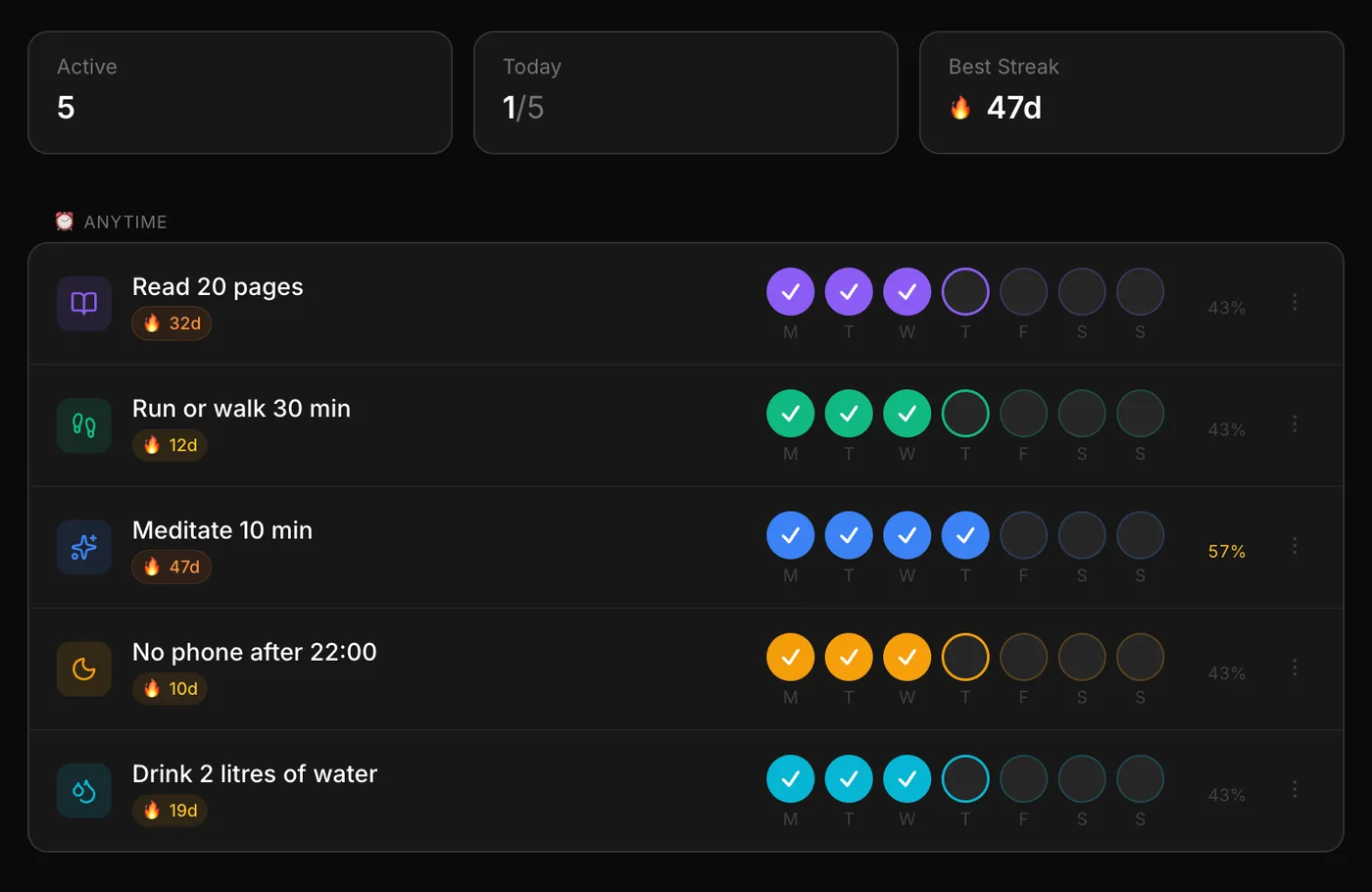
A Notion life OS starts as a template: databases, relations, formulas and views that you learn and then maintain. In Framezone you pick one area, like habits or money, and add your first item in the same minute.
- Pick one area at sign-up
- The menu shows only that area
- Add the rest when you want
Linked by default
Areas that already talk to each other
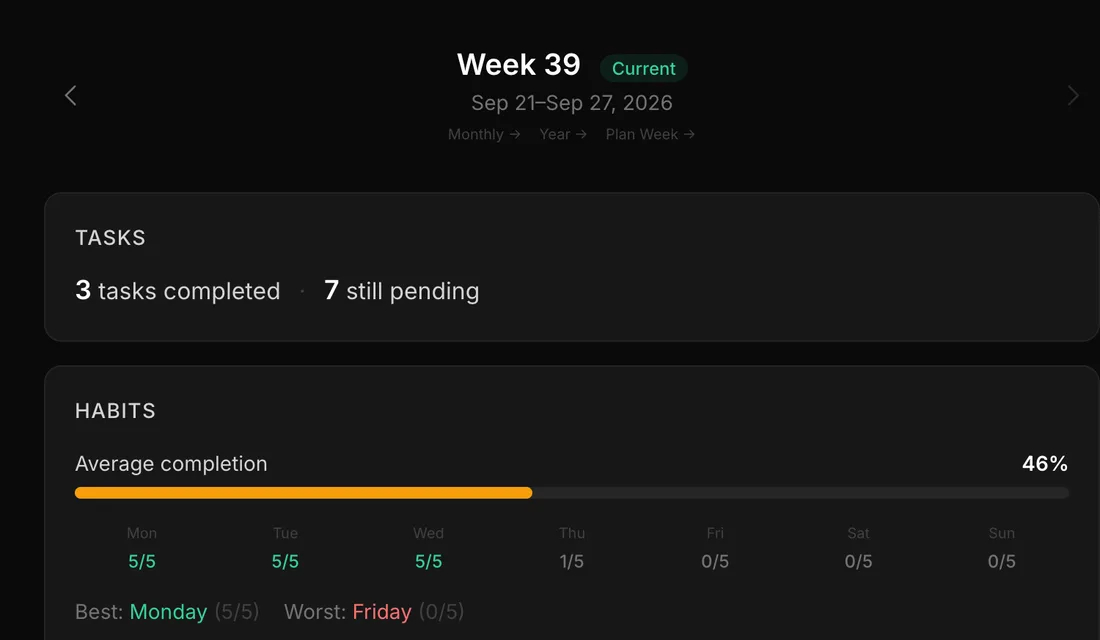
Habits move goals, focus sessions count toward projects, and the weekly review pulls in tasks, habits and focus time on its own. In Notion, each of those links is a relation you set up and keep working.
- Habits and projects linked to goals
- Focus time per task and project
- Reviews that fill themselves in
AI assistants
Tools made for your life data
Notion's MCP server reads and edits pages and databases. Framezone's gives your assistant tools that already know what a habit, a budget or a workout is, so "log my run" works without explaining your database first.
- Claude, ChatGPT, Cursor, VS Code and more
- You choose read, write and delete
- Disconnect any time in Settings
Which habit did I skip most this month?
Your assistant reads your habits and streaks and answers from your own data.
In fairness
Where Notion is the better pick.
Writing and documents
Long pages, wikis and knowledge bases are what Notion was made for.
Working with others
Shared pages, comments and permissions. Framezone is personal only.
Total flexibility
If you enjoy designing your own system, Notion lets you build almost anything.
Native apps
Apps on every platform, with offline mode. Framezone is an installable web app for now.
Trying it
One area at a time.
There is no Notion importer yet, so don't migrate your archive. Move only what is active.
- 01 Pick the part your template struggled with most, often habits or budgets.
- 02 Add only what you use this week: current tasks, the habits you really track, this month's budget.
- 03 Connect your AI assistant and ask it to add the rest as it comes up.
- 04 After two weeks, decide what else to move. Keep Notion for your docs.
Questions
Good to know.
Not yet. There is no Notion importer, so the easiest start is to add only what is active this week. An AI assistant connected to Framezone can turn a pasted list into tasks or habits.
Yes, many, free and paid, and some are very good. They all share the same trade-off: you learn the databases and keep them working yourself. If you would rather have habits, budgets and workouts that work on day one, Framezone is a ready-made alternative with a free plan.
No. It is a standalone app with its own database, built only for personal life management. Nothing runs inside Notion.
Yes. A common split is Notion for documents and shared work, and Framezone for tasks, habits, money and training.
Both run official MCP servers, so any MCP client that supports remote servers with sign-in can connect to either, or to both at once.
There is a Free plan with every module and limits on active habits, goals, projects and accounts. Pro removes the limits for $9 a month or $90 a year, and the first 100 founding members can pay $99 once. Everyone who signs up during early access gets their first year of Pro free.
More comparisons
Weighing something else?
Try it next to what you use now.
Free during early access. Start with one area and keep your other tools until you don't need them.
Free during early access. No card needed.