Framezone vs spreadsheets
Your spreadsheet, without the upkeep.
A habit grid, a budget tab, a workout log: spreadsheets can track anything and cost nothing. They also need you to build every formula, and they never remind you or connect one tab to another. Framezone does the bookkeeping, so you only do the logging.
Last reviewed September 2026. Prices in USD.
The short answer
Two good tools for different jobs.
Choose Framezone if
- You built a tracking sheet and stopped opening it
- You want to log from your phone in one tap instead of scrolling a grid
- You want streaks, budgets and trends worked out for you
Choose a spreadsheet if
- You love building models and want control over every formula
- You need a custom analysis or chart that no app offers
- You share the file with a partner, accountant or coach
Keep the sheet for one-off analysis, like a yearly tax overview, and let Framezone handle the day-to-day logging. You can export everything as CSV whenever you want it back in a sheet.
Side by side
Feature by feature.
What each one does out of the box, without templates or add-ons.
What's different
Where Framezone goes further.
One tap
Log in seconds, not in a grid
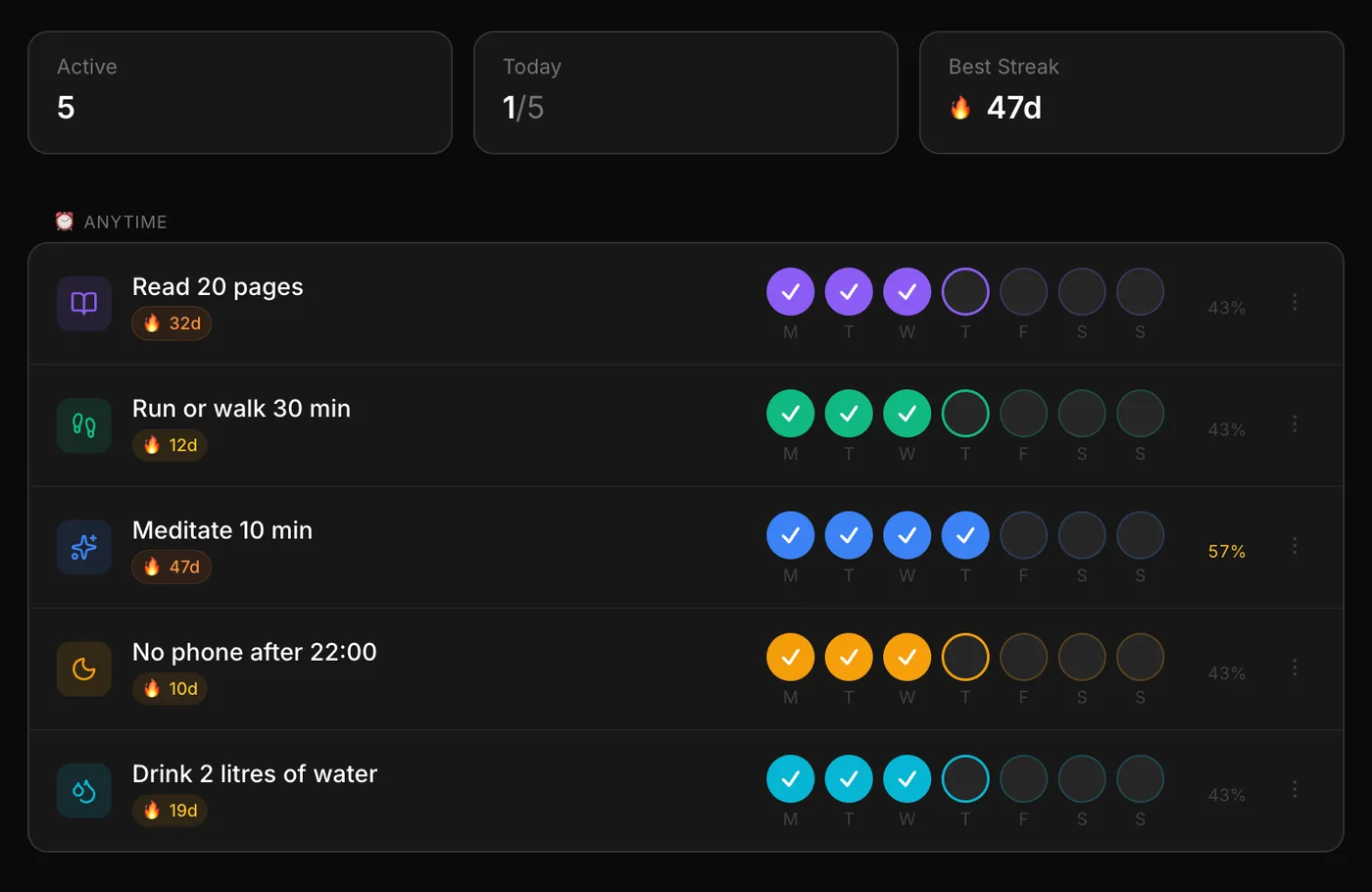
A habit check-in is one tap on your phone. The streak, the week's completion and the link to your goal update on their own. No scrolling to today's row, no dragging a formula down.
- One-tap check-ins
- Streaks counted for you
- Freeze days for travel or illness
Money
Budgets that do the math
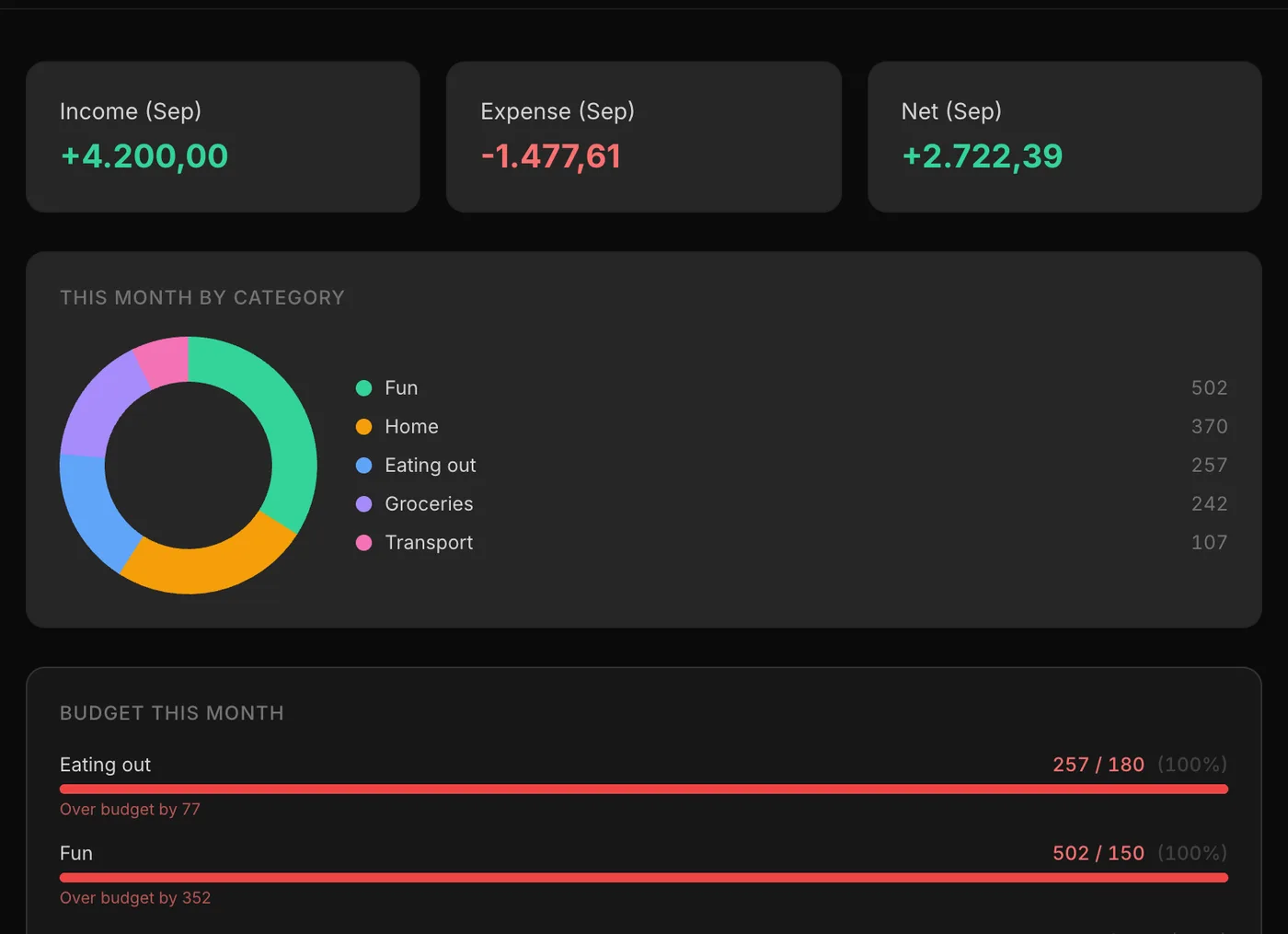
Set a monthly budget per category and see spending against it, with a forecast for the end of the month. Subscriptions get a reminder three days before they bill.
- Budgets per category with a forecast
- Subscription reminders
- Log spending by talking to your AI assistant
Trends
Progress you don't have to chart
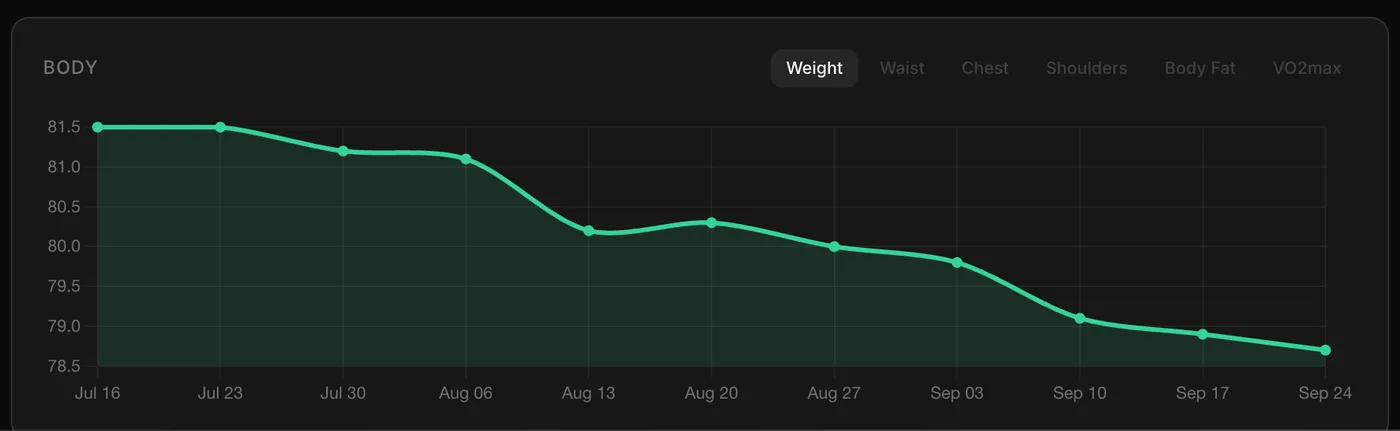
Log a set or a weigh-in and the trend is already there: kilos per week, progress per lift, protein against your target.
- Weight and waist trends
- Progress per lift
- Macros against your targets
In fairness
Where a spreadsheet is the better pick.
Any calculation
If you can write the formula, a sheet can do it. Framezone only shows the stats it was built for.
Sharing
Send the file to a partner, accountant or coach. Framezone is personal only.
No account
A file on your computer needs no sign-up and no server.
One-off projects
A tax overview or comparing flats is a job for a sheet, not a dashboard.
Trying it
One area at a time.
Don't copy years of rows across. Start with the tab you open least: that is usually the one that needs help most.
- 01 Pick one tab: habits, budget or training.
- 02 Enter this month only. Old data can stay in the sheet.
- 03 Log from your phone for two weeks.
- 04 Export to CSV any time you want the numbers back in a sheet.
Questions
Good to know.
Yes. Settings has a full export as CSV or JSON files in one download.
Not for habits or budgets yet. Bank sync is on the way, and until then an AI assistant can turn a pasted list into tasks or habits.
Framezone is hosted in Europe, shows no ads and never sells your data. Bank and AI keys are encrypted at rest. The security page lists what is protected and what isn't done yet.
There is a Free plan with every module and limits on active habits, goals, projects and accounts. Pro removes the limits for $9 a month or $90 a year, and the first 100 founding members can pay $99 once. Everyone who signs up during early access gets their first year of Pro free.
More comparisons
Weighing something else?
Try it next to what you use now.
Free during early access. Start with one area and keep your other tools until you don't need them.
Free during early access. No card needed.