Framezone vs Todoist
More than a to-do list.
Todoist is one of the best task managers around, and if tasks are all you need, it is a great pick. Framezone is for when the list is only part of the picture: habits, goals, money and training live next to your tasks and feed the same weekly review.
Last reviewed September 2026. Prices in USD.
The short answer
Two good tools for different jobs.
Choose Framezone if
- You track habits, spending or workouts in other apps and want one place
- You want a daily Top 3 and a focus timer linked to your tasks
- You want goals that show progress from the habits and projects behind them
Choose Todoist if
- You only need tasks, in the most polished task app with native apps everywhere
- You share projects with a team or your family
- You depend on fast quick add and many integrations
Happy with Todoist? Keep it for tasks and use Framezone for habits, money and training. You lose the shared weekly review, but nothing breaks.
Side by side
Feature by feature.
What each one does out of the box, without templates or add-ons.
What's different
Where Framezone goes further.
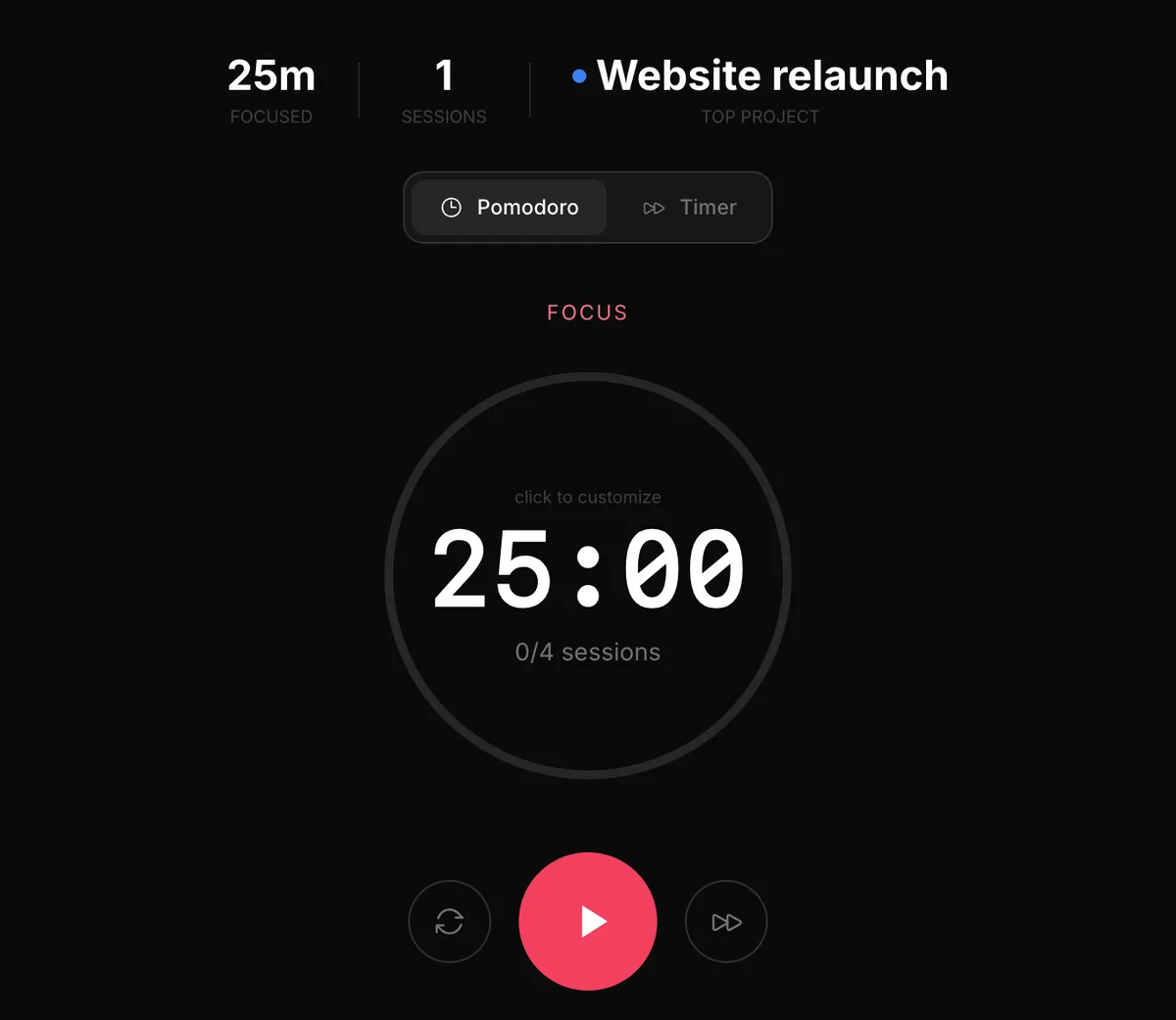
Top 3 and focus
From a list to started
Todoist is great at capturing and sorting. Framezone adds the next step: pick three for today, start a 25 minute focus session on the first, and see afterwards where the week's time really went.
- Top 3 pinned above everything
- Focus sessions linked to tasks
- Focus stats by hour and project
Habits
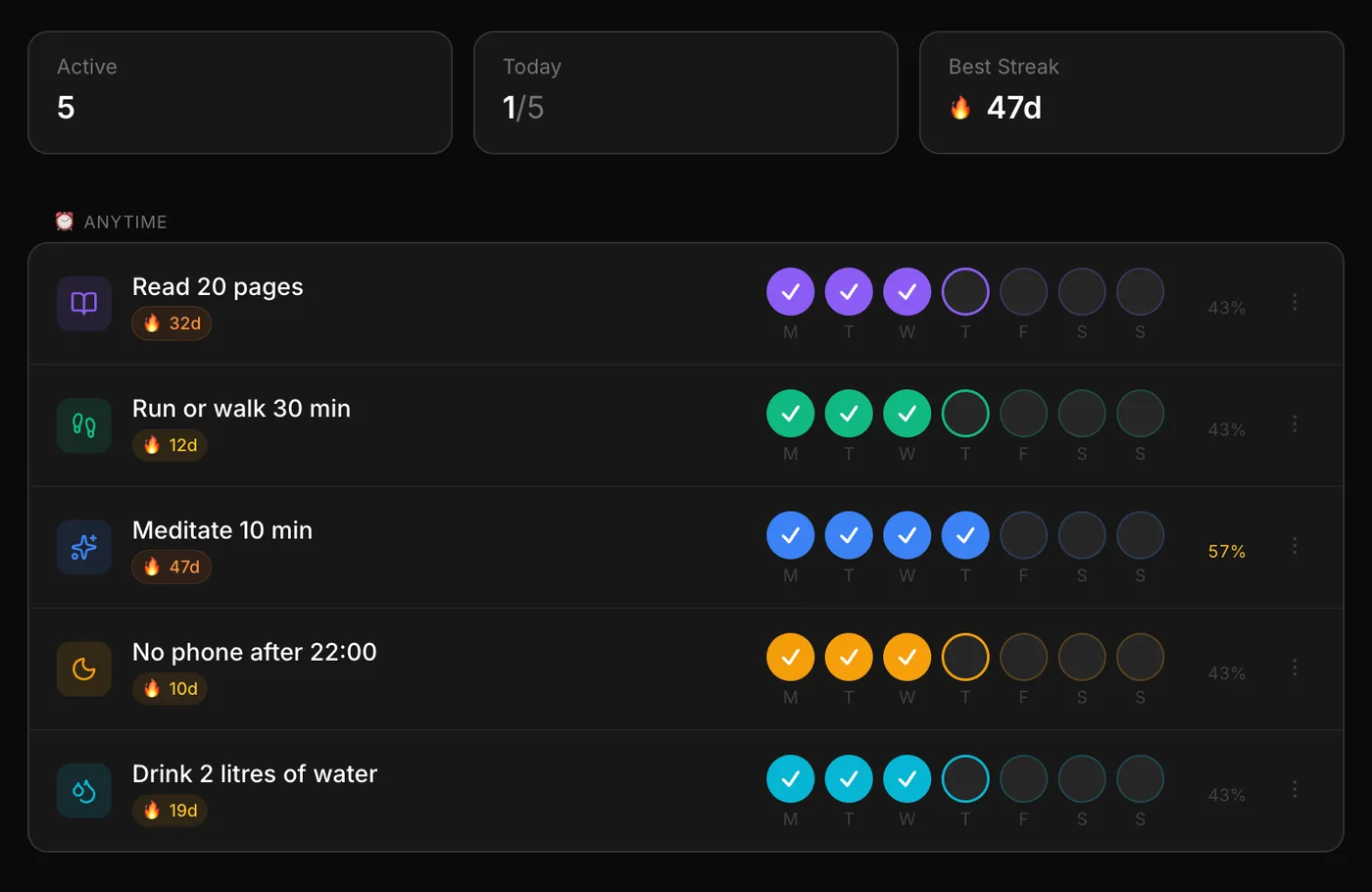
A habit isn't a task
Ticking off a recurring task isn't the same as keeping a habit. Framezone tracks habits daily, on chosen weekdays or a number of times a week, with freeze days so one bad day doesn't reset the count.
- Check, count or duration habits
- Streaks with freeze days
- Linked to the goal they serve
Reviews
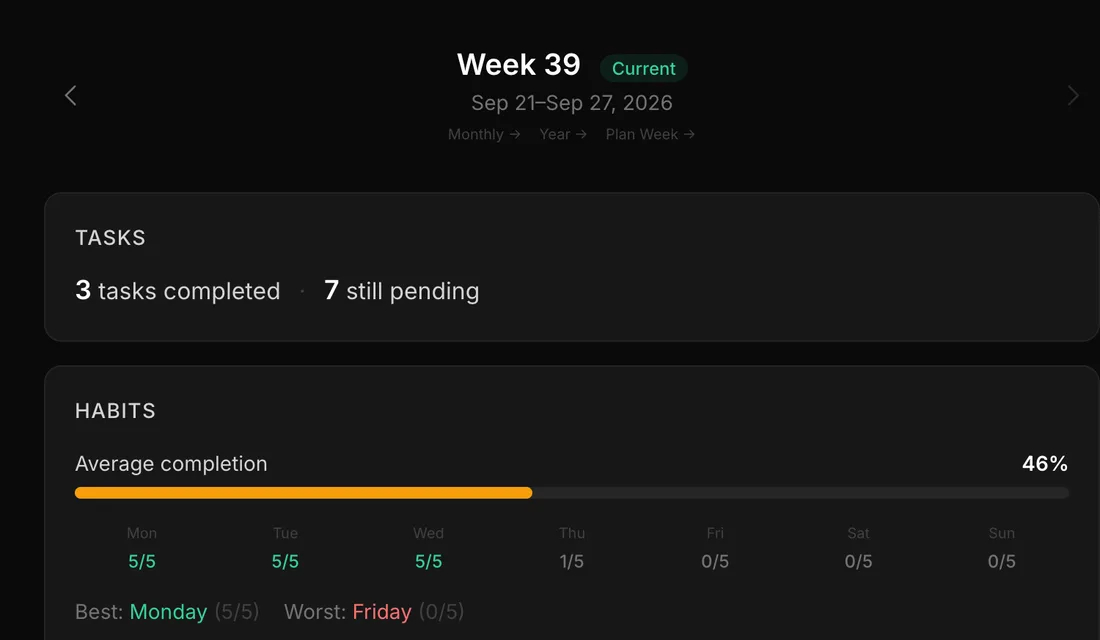
A weekly review of the whole week
Because tasks, habits, focus time and your journal live in one place, the weekly review shows them together: what you finished, which habits held and how the week felt.
- Tasks done and habit completion by day
- Focus time per project
- Plan next week from the same screen
In fairness
Where Todoist is the better pick.
Capturing tasks
Todoist's quick add, with dates and labels typed in plain words, is excellent.
Teams and families
Shared projects, comments and assignees. Framezone is personal only.
Apps everywhere
Native apps on phones, desktops and watches, plus browser extensions.
Integrations
Calendars, email and many other tools connect to Todoist.
Trying it
One area at a time.
There is no Todoist importer, and you don't need one to start. Begin with what Todoist doesn't do.
- 01 Start with habits or a daily Top 3, the parts Todoist doesn't cover.
- 02 Move active projects when you are ready. Finished ones can stay where they are.
- 03 Paste a project's task list into your AI assistant and ask it to create the tasks in Framezone.
- 04 Run one weekly review. If it shows you something new, move the rest.
Questions
Good to know.
Not with one click. The quickest way is to paste a list into an AI assistant connected to Framezone and ask it to create the tasks, with priorities and due dates.
For personal tasks, yes: projects, recurring tasks, priorities, subtasks and a daily Top 3. If you work in shared projects with other people, Todoist is still the better fit.
Both have official MCP servers. Todoist's covers your tasks. Framezone's covers tasks plus habits, goals, money, training, reading and your journal, so one assistant can answer questions about your whole week.
Not yet. Tasks have due dates and a board view, and the weekly plan shows what is coming up.
There is a Free plan with every module and limits on active habits, goals, projects and accounts. Pro removes the limits for $9 a month or $90 a year, and the first 100 founding members can pay $99 once. Everyone who signs up during early access gets their first year of Pro free.
More comparisons
Weighing something else?
Try it next to what you use now.
Free during early access. Start with one area and keep your other tools until you don't need them.
Free during early access. No card needed.