Skip to content

Features

Everything you run, in one place.

Five areas that share one home. Start with the one that bugs you most, and add the rest when you're ready. Everything you don't use stays out of the way.

01

Plan your day

Know what matters today.

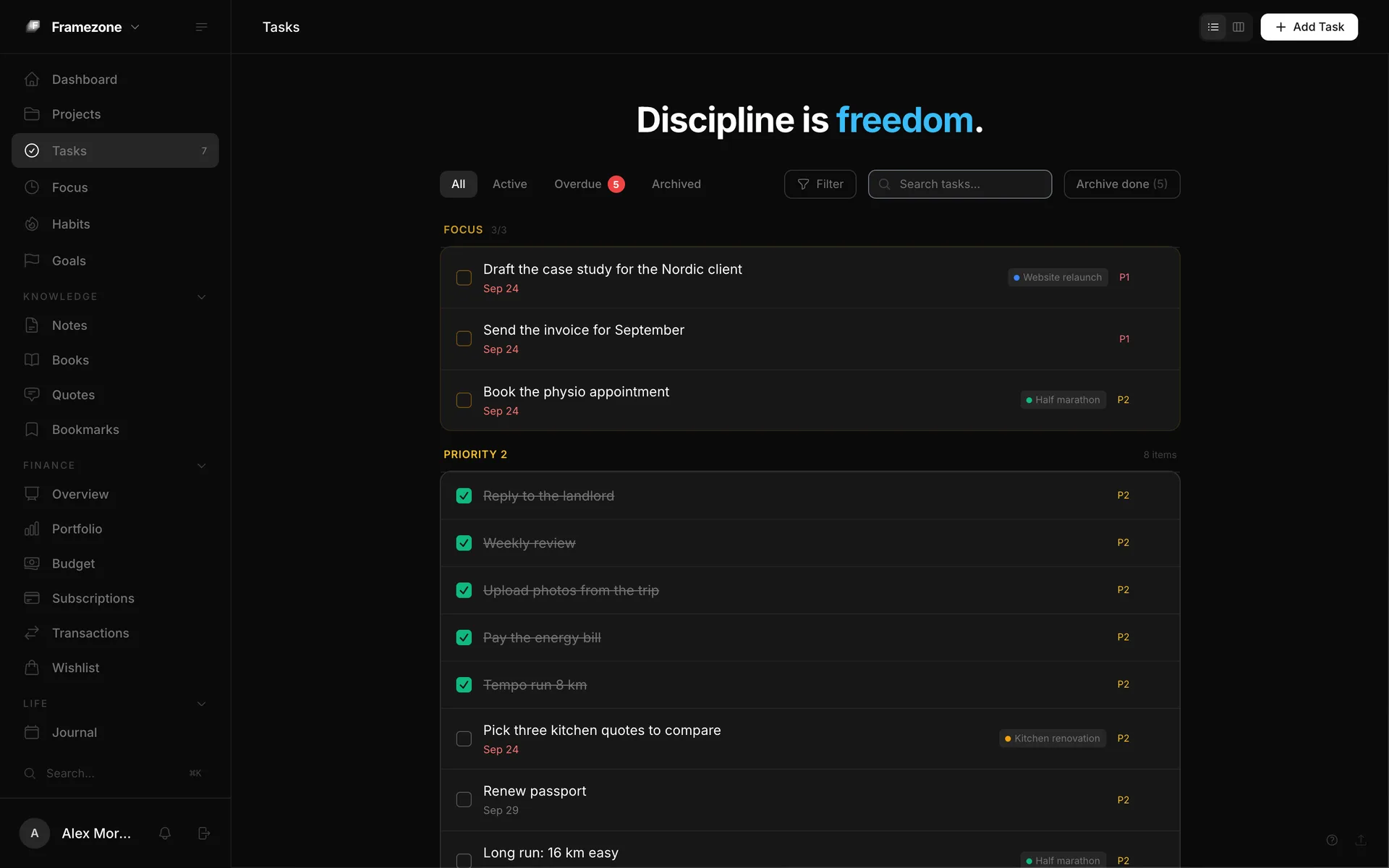
A daily Top 3, a focus timer and projects that fit together. Two minutes in the morning, and the rest of the day has a shape.

What's inside

  • Top 3
  • Focus timer
  • Reviews
Explore plan your day
framezone.app/tasks
The tasks page with today's Top 3 pinned at the top, tagged by project
03

Money

See where your money actually goes.

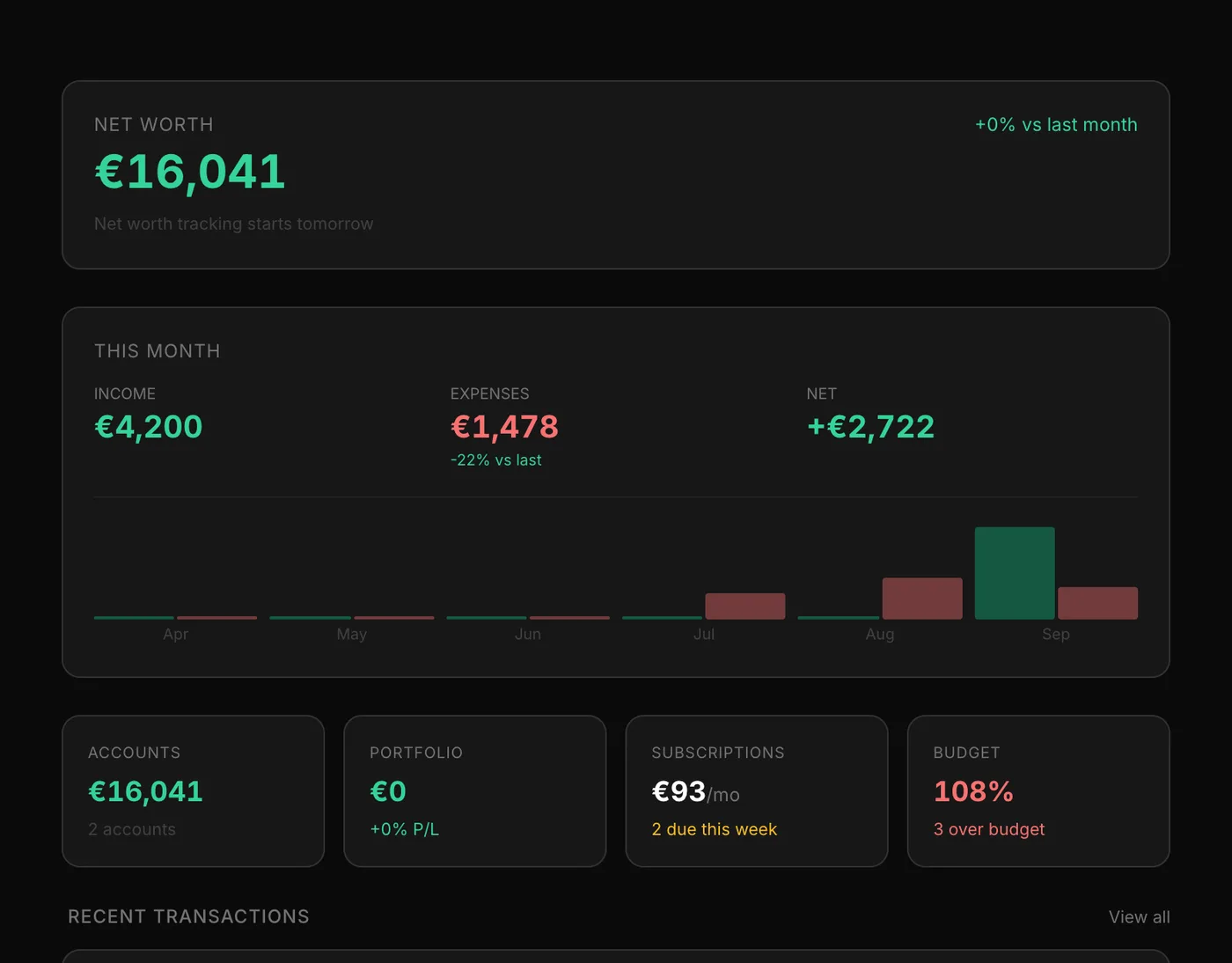
Accounts, spending by category, budgets and every subscription in one view. Add things by hand, or just tell your AI assistant.

What's inside

  • Budgets
  • Subscriptions
Explore money
framezone.app/finance
The finance overview with net worth, this month's income and spending, and recent transactions
04

Health & fitness

Train and eat with a plan that tells the truth.

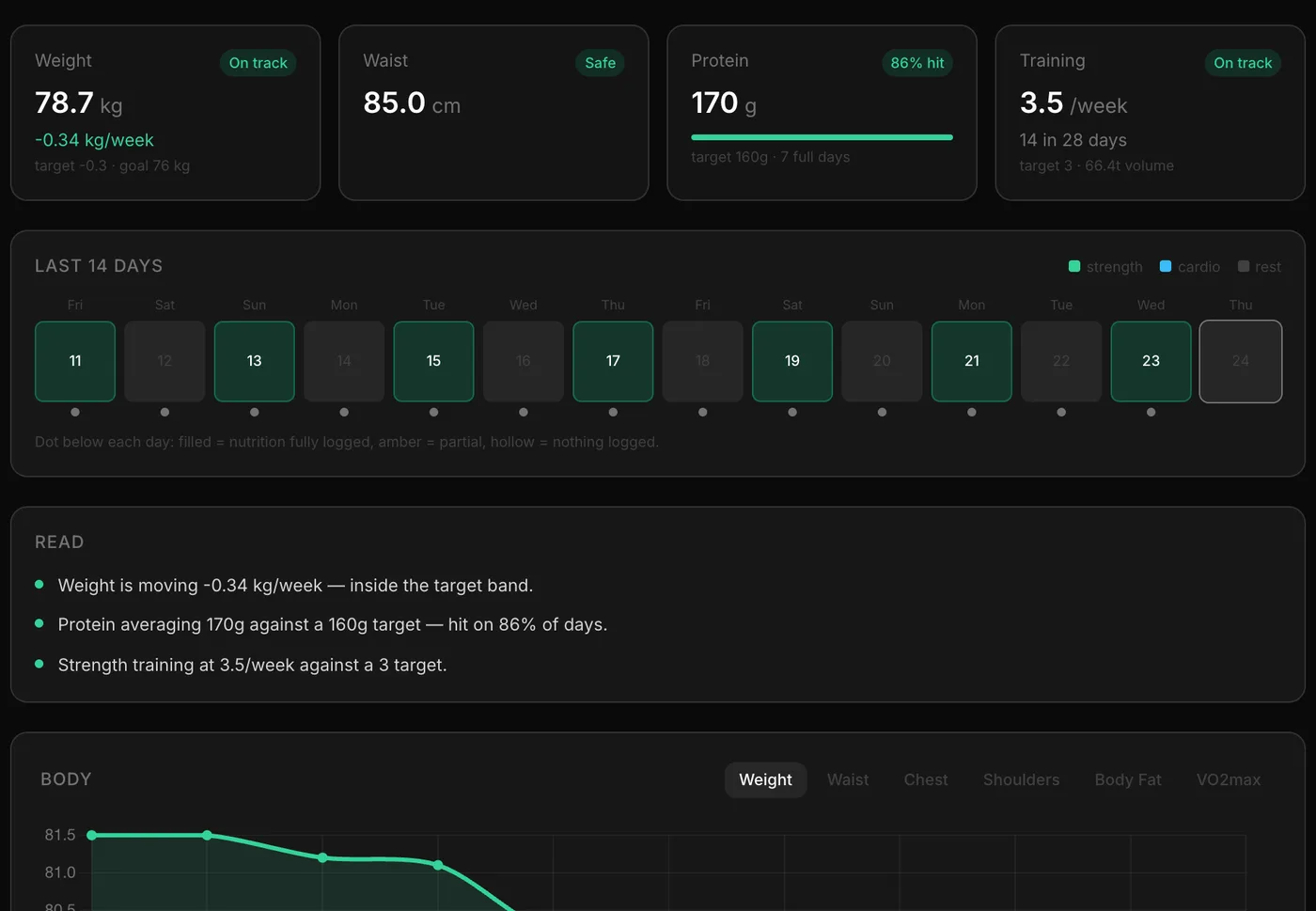
Workouts with sets and weights, body measurements and nutrition, read together so you know whether the plan is working.

What's inside

  • Training log
  • Trends
Explore health & fitness
framezone.app/fitness
The fitness overview: weight, waist, protein and training all on track, with plain-language notes

How it fits together

One week, one picture.

The areas aren't separate apps under one logo. They share one account, so each part can see the others.

  1. Step 1

    Goals

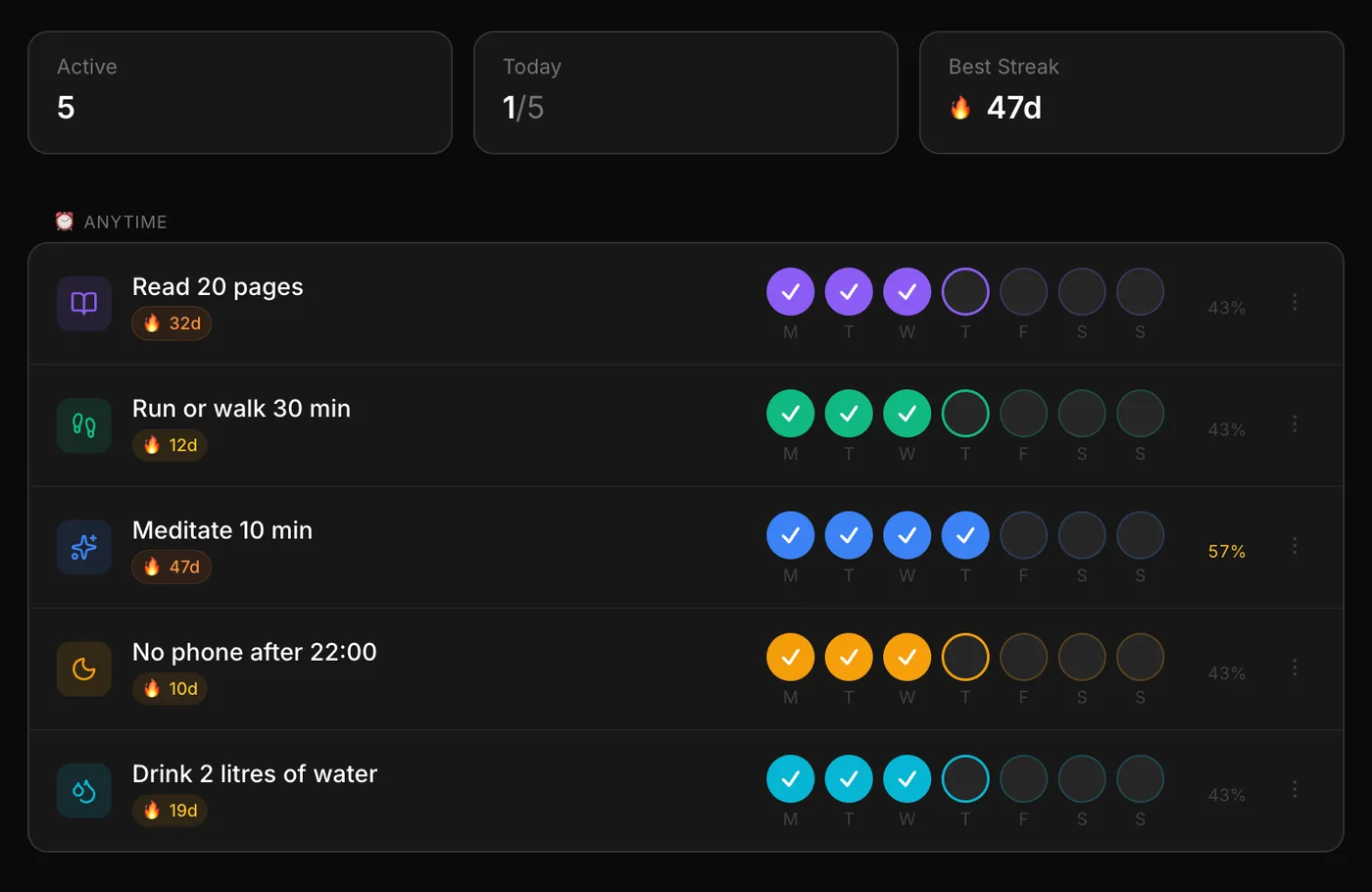
    Set a goal, then link the habits and projects that move it. Its progress bar fills up as you check in and finish tasks.

    • Habits
    • Projects
  2. Step 2

    Every day

    Pick a Top 3, run the focus timer on the first one, tick off your habits and write a line in the journal.

    • Top 3
    • Focus timer
    • Journal
  3. Step 3

    Weekly review

    At the end of the week the review fills itself in: tasks done, habit completion, focus time, spending and training.

    • Tasks
    • Habits
    • Money
    • Fitness

Also included

The small things that add up.

Beyond the five areas, these come with every account. Turn on the ones you want.

  • Contacts

    Birthdays, notes on people, and a reminder when it is time to reach out.

  • Portfolio

    Holdings and trades next to your accounts, with daily prices.

  • Bookmarks

    Save links with a title and preview, marked read or unread.

  • Wishlist

    Things you want, with prices, until you buy them.

  • Workspaces

    Group modules into spaces like Work and Home, each with its own menu.

  • Achievements

    Milestones for streaks, finished books, focus hours and more.

  • Data export

    Download everything you have put in, from settings.

  • Smart alerts

    Overdue tasks, habit streaks, budgets and upcoming bills.

  • Connect your AI

    Let an MCP assistant such as Claude, ChatGPT or Cursor read and update your data when you ask.

Your whole life in one view.

Start with one area. It takes about a minute.

Free during early access. No card needed.